10 Karwa Chauth AI Photo Editing Prompts for 2026: Realistic Festive Looks for Instagram
10 copyable Karwa Chauth AI photo editing prompts for Google Gemini and image tools. Create realistic red saree portraits, moonlight thali photos, and festive looks.

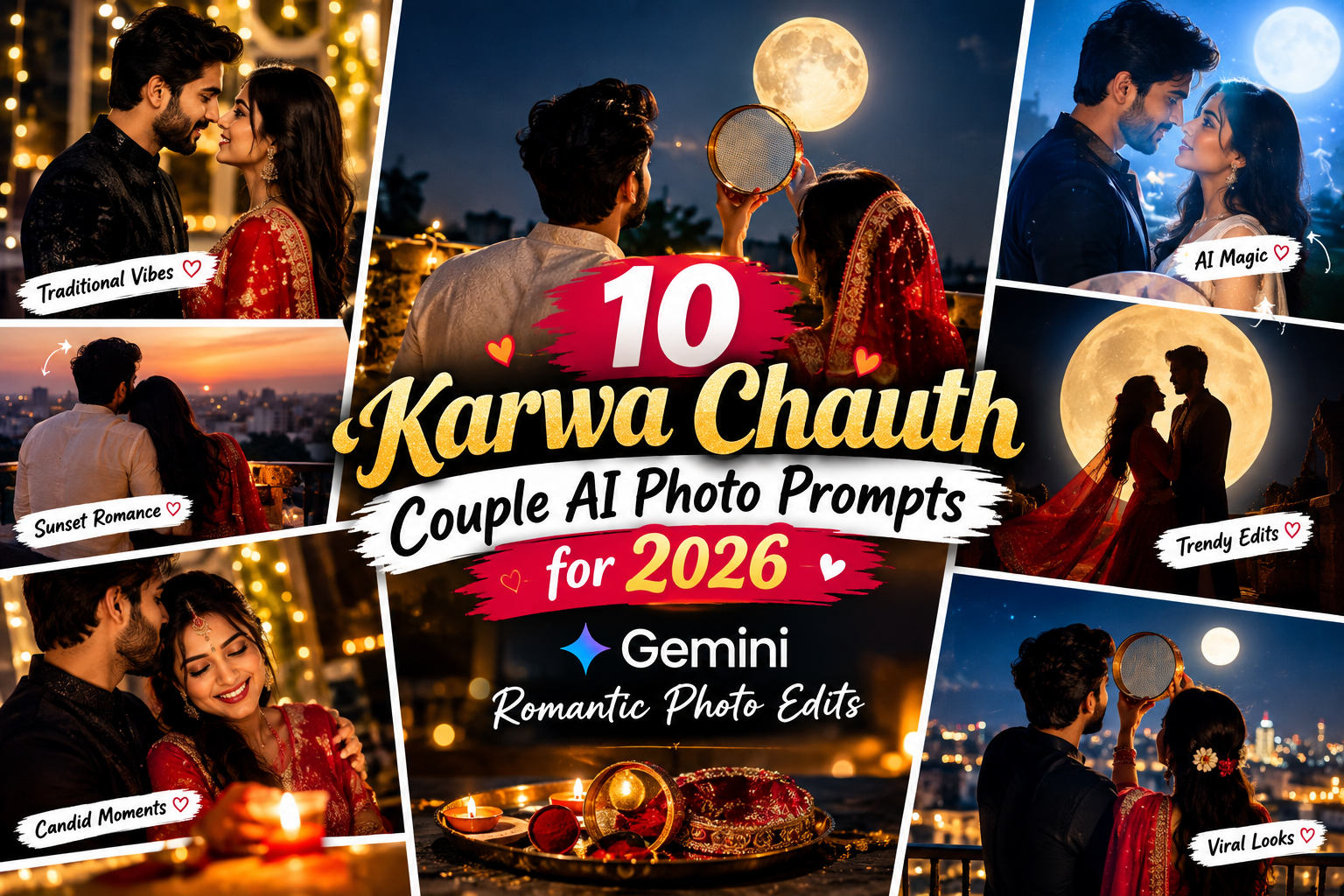
Featured Master Editorial: Woman in a traditional red saree holding a decorated Karwa Chauth thali under a moonlit evening sky
In This Curated Guide
Karwa Chauth is a special Festival for dressing up, taking family photographs and capture memorable moments with loved ones. If you want something different from an ordinary selfie this year, AI photo editing tools can help you create with traditional outfits, romantic couple portraits, moonlit backgrounds and festive photography styles.
With the right Karwa Chauth AI photo editing prompts, you can make an ordinary photograph into a creative festive portrait while keeping the result close to your personal style. You can try a classic red saree look, a soft-glam makeup portrait, a traditional puja thali scene or a cinematic couple photograph.
You can describe the outfit, lighting, background, pose and photographic style clearly. If you are editing your own photograph, you should also tell the AI to not to change your facial features So AI can make your face exactly not make difference.
So in this tutorial, you will get 10 copyable Karwa Chauth AI prompts for tools that support image generation or reference-photo editing, you can create using Gemini and other compatible AI image tools. Each prompt has a different creative and cool photos, so you can choose your favorite look that suits your outfit and the type of picture you want to create.
What Makes a Good Karwa Chauth AI Photo Prompt?
A useful prompt does more than ask an AI tool to create a “beautiful festive photo.” It explains what the finished photograph should look like. For a more realistic result, include these details:
- Outfit: Describe the saree, lehenga, suit, colour and fabric.
- Accessories: Mention bangles, earrings, necklace, bindi, mehndi or a puja thali when appropriate.
- Setting: Choose a balcony, decorated home, terrace or elegant indoor background.
- Lighting: Specify soft window light, warm diya light, sunset or moonlight.
- Composition: Explain whether you want a close-up portrait, full-length photograph or couple photo.
- Identity preservation: If you upload your own photograph, ask the tool to preserve your facial features and natural skin texture.
Not every AI tool follows every instruction perfectly. You may need to try a prompt more than once or adjust a detail such as the pose, jewellery or background.
1. Traditional Red Saree Karwa Chauth Portrait
This is a classic option if you want a traditional festive photograph with a rich red saree, gold details and a decorated thali. It works well for a profile picture, a festive Instagram post or a personal photo collection.
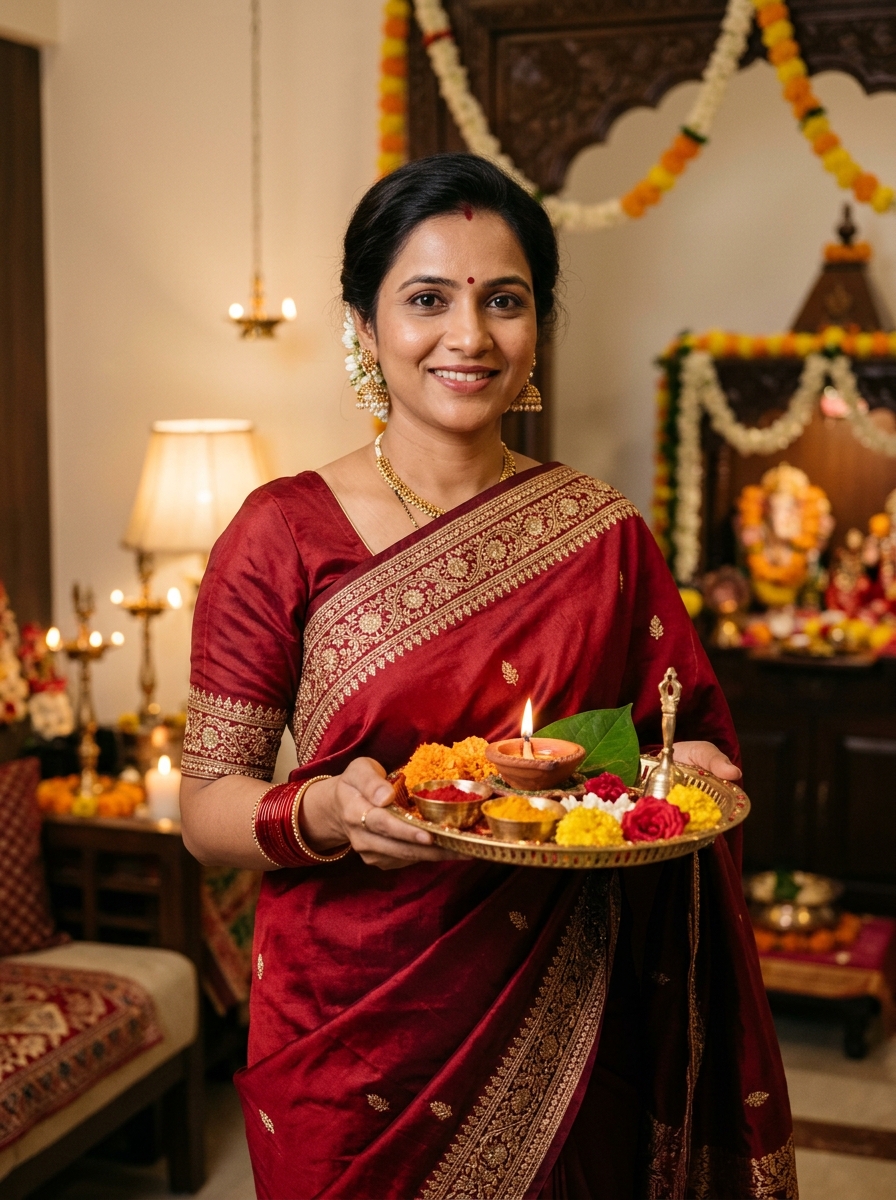
Visual Result: Traditional red saree Karwa Chauth portrait with a decorated puja thali.
Edit the uploaded photograph into an elegant, realistic Karwa Chauth festive portrait of the same adult woman. Preserve her recognizable facial identity, natural skin texture, facial proportions and original expression. Dress her in a beautiful deep-red silk saree with delicate gold embroidery, matching red bangles, tasteful gold earrings and a small traditional bindi. Let her hold a decorated puja thali with a lit diya and traditional festive details. Use warm indoor lighting, a softly decorated Indian home in the background, natural fabric folds and realistic jewellery. Compose the image like premium Indian festive portrait photography, with balanced colours and a natural pose. Keep the hands anatomically realistic, avoid excessive skin smoothing, and do not add text, logos or watermarks.
2. Romantic Karwa Chauth Couple Photo
For couples who want a coordinated festive photograph, a romantic portrait can create the feeling of a professional photoshoot without requiring an elaborate setup. Use a reference photo of both adults if your image tool supports it.
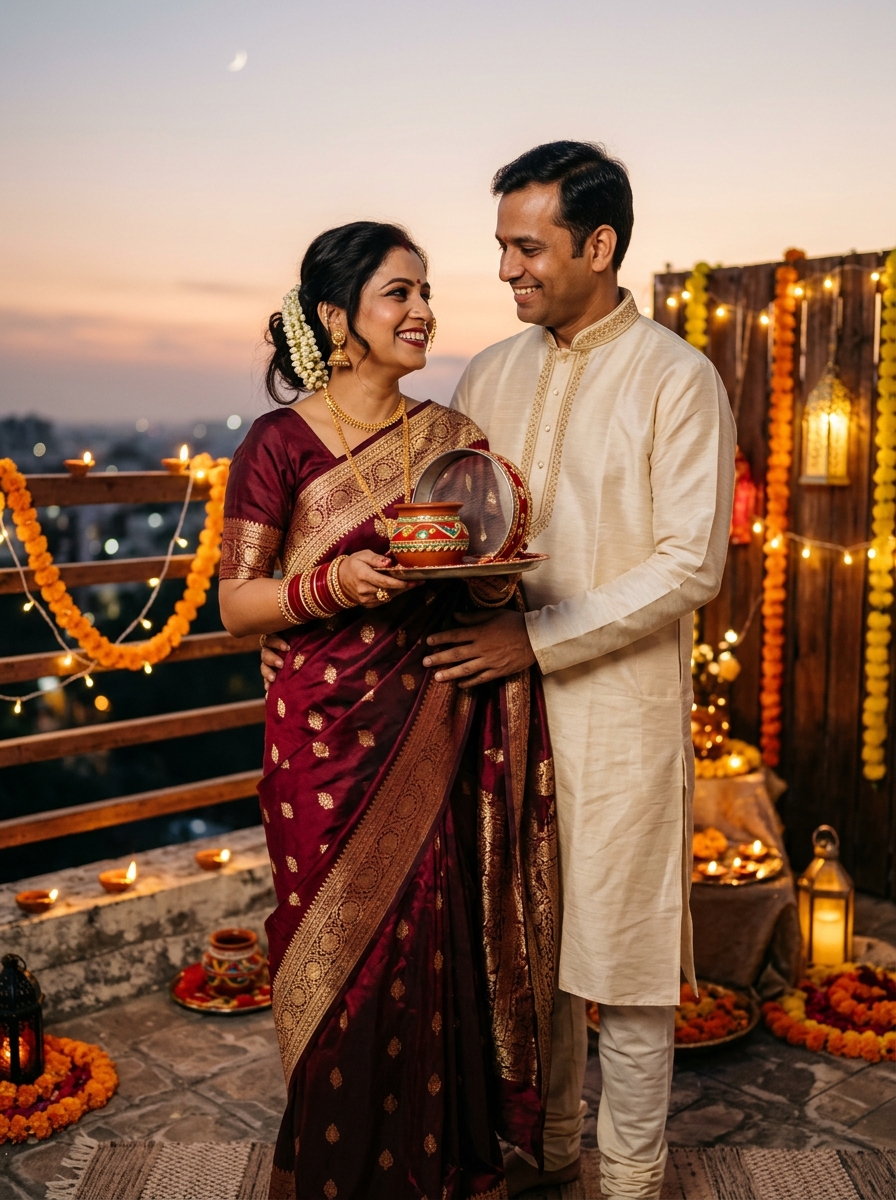
Visual Result: Romantic Karwa Chauth couple portrait in coordinated traditional Indian outfits.
Transform the uploaded couple photograph into a realistic, romantic Karwa Chauth evening portrait. Preserve both adults' recognizable facial identities, natural skin tones, facial proportions and expressions. Style the woman in an elegant maroon saree with gold detailing and traditional bangles, and the man in a well-fitted cream-coloured kurta with subtle festive embroidery. Show them standing naturally together on a beautifully decorated terrace, with warm fairy lights, a few diyas and a soft evening sky. Their expressions should feel affectionate and genuine, not exaggerated or artificial. Use cinematic but believable lighting, realistic clothing textures, natural hands and a professional portrait-lens look. Keep the background elegant and uncluttered. Do not add extra people, text, logos or watermarks.
3. Moonlight and Channi Karwa Chauth Photo
The moon-and-sieve moment is one of the most recognizable visual themes associated with Karwa Chauth. This prompt focuses on a calm evening scene rather than an exaggerated fantasy background.
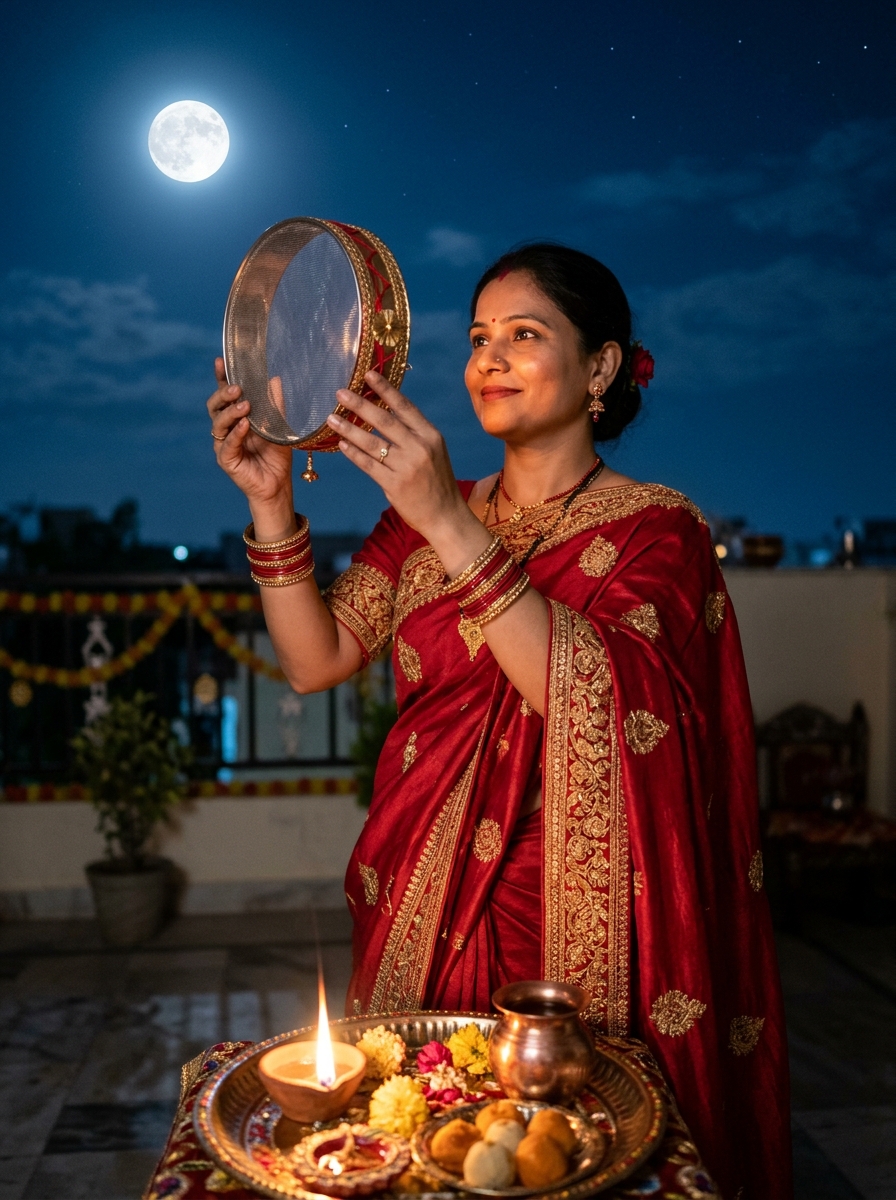
Visual Result: Karwa Chauth moonlight portrait with a traditional sieve and puja thali.
Create a realistic Karwa Chauth moonlight portrait using the uploaded photograph as the identity reference. Keep the adult woman's recognizable face, facial proportions and natural skin texture unchanged. Dress her in a traditional red saree with delicate gold borders and matching bangles. Pose her holding a round traditional metal sieve decorated with a subtle red thread, gently looking toward the moon in the evening sky. Include a small decorated puja thali with a diya in the foreground. Use a deep blue twilight sky, a believable bright moon, soft warm light on her face and natural shadows. Make the scene resemble a professionally photographed festive moment on a home terrace. Keep the sieve shape realistic, the fingers correctly positioned and the background uncluttered. No text, extra fingers, artificial facial changes or watermarks.
4. Soft Glam Makeup and Festive Close-Up
Not every festive photograph needs a full-length outfit or elaborate background. A close-up portrait can highlight makeup, earrings, a bindi and the details of your festive look.
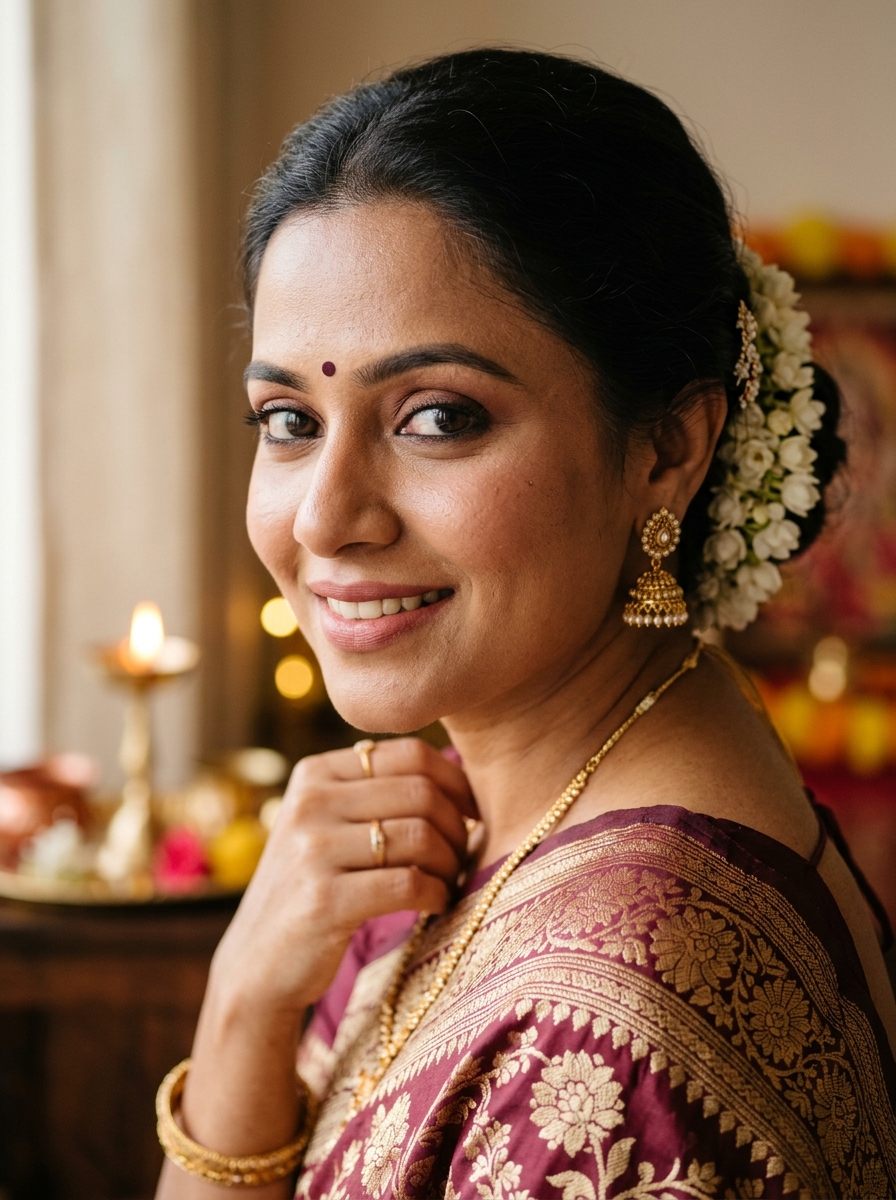
Visual Result: Natural soft-glam makeup portrait for Karwa Chauth.
Edit the uploaded photograph into a polished but natural Karwa Chauth beauty portrait of the same adult woman. Preserve her recognizable facial identity, skin texture, eye shape and natural facial proportions. Add subtle festive makeup with softly defined eyes, a natural rosy lip colour and a gentle glow without excessive retouching. Style her in a traditional outfit with tasteful gold earrings, a small bindi and neatly arranged hair. Use soft window light, a warm neutral background and a shallow depth of field. Frame the portrait from the shoulders upward, with realistic skin detail and balanced colours. The final image should resemble an editorial beauty photograph rather than a heavily filtered social media effect. Do not change her identity, exaggerate facial features, add artificial jewellery or include text or watermarks.
5. Elegant Bridal-Inspired Karwa Chauth Look
If you prefer a more dressed-up look, you can try a bridal-inspired festive portrait. The idea is to create a rich, elegant outfit without automatically turning the scene into a wedding photograph.
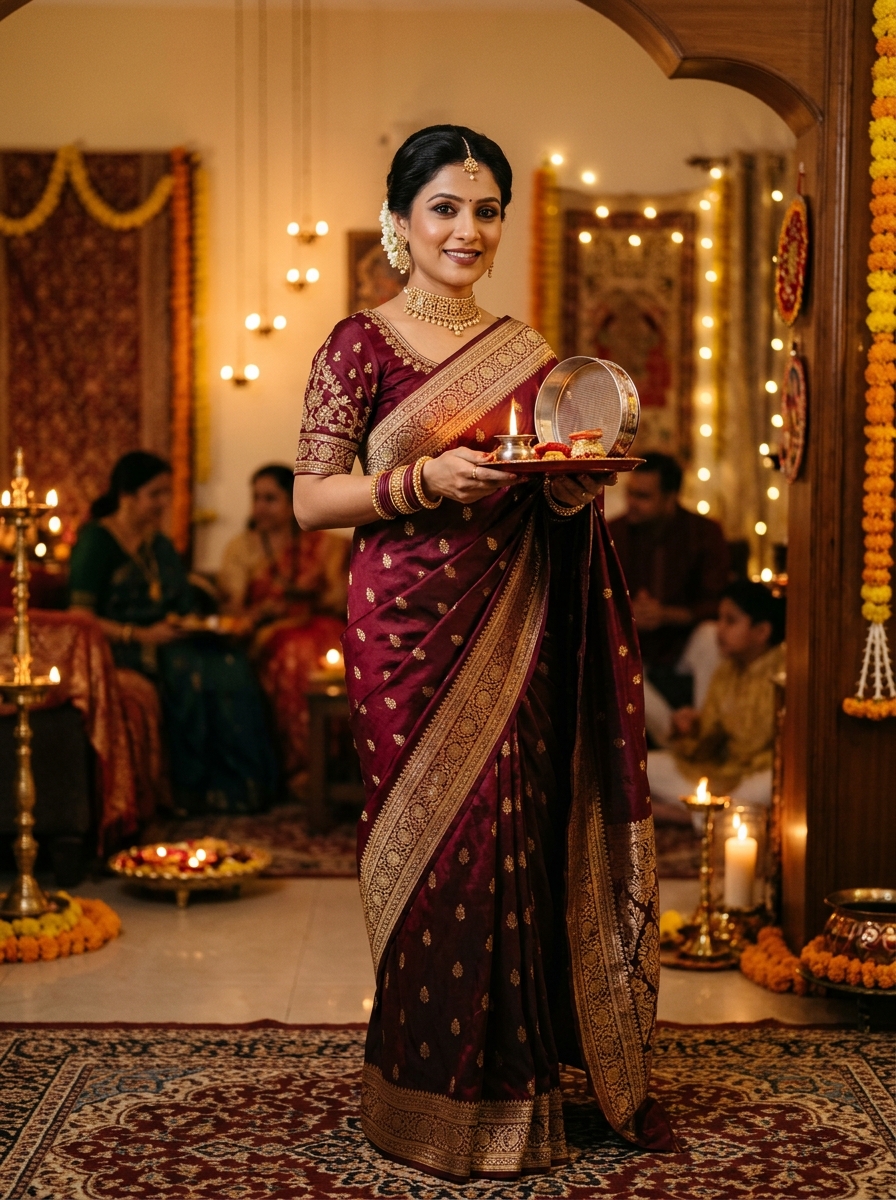
Visual Result: Elegant maroon saree festive portrait inspired by traditional Karwa Chauth styling.
Use the uploaded photograph as the reference for an elegant Karwa Chauth festive portrait of the same adult woman. Preserve her recognizable face and natural facial proportions. Style her in a luxurious wine-red or deep-maroon saree with intricate but tasteful gold embroidery, coordinated bangles and traditional jewellery. Add a neatly styled hairstyle and understated festive makeup. Place her in a beautifully decorated Indian interior with soft golden lamps and subtle floral details. Use rich fabric textures, realistic jewellery reflections, balanced warm lighting and a professional full-length portrait composition. The result should feel celebratory, sophisticated and believable, not like a fantasy illustration. Keep the hands and jewellery anatomically consistent. Avoid exaggerated bridal accessories, artificial skin smoothing, text and watermarks.
6. Minimalist Karwa Chauth Portrait in a Pastel Outfit
Red is a traditional festive colour, but you may prefer a softer look. Pastel pink, peach, ivory and muted rose can work well for a contemporary portrait while retaining traditional accessories.
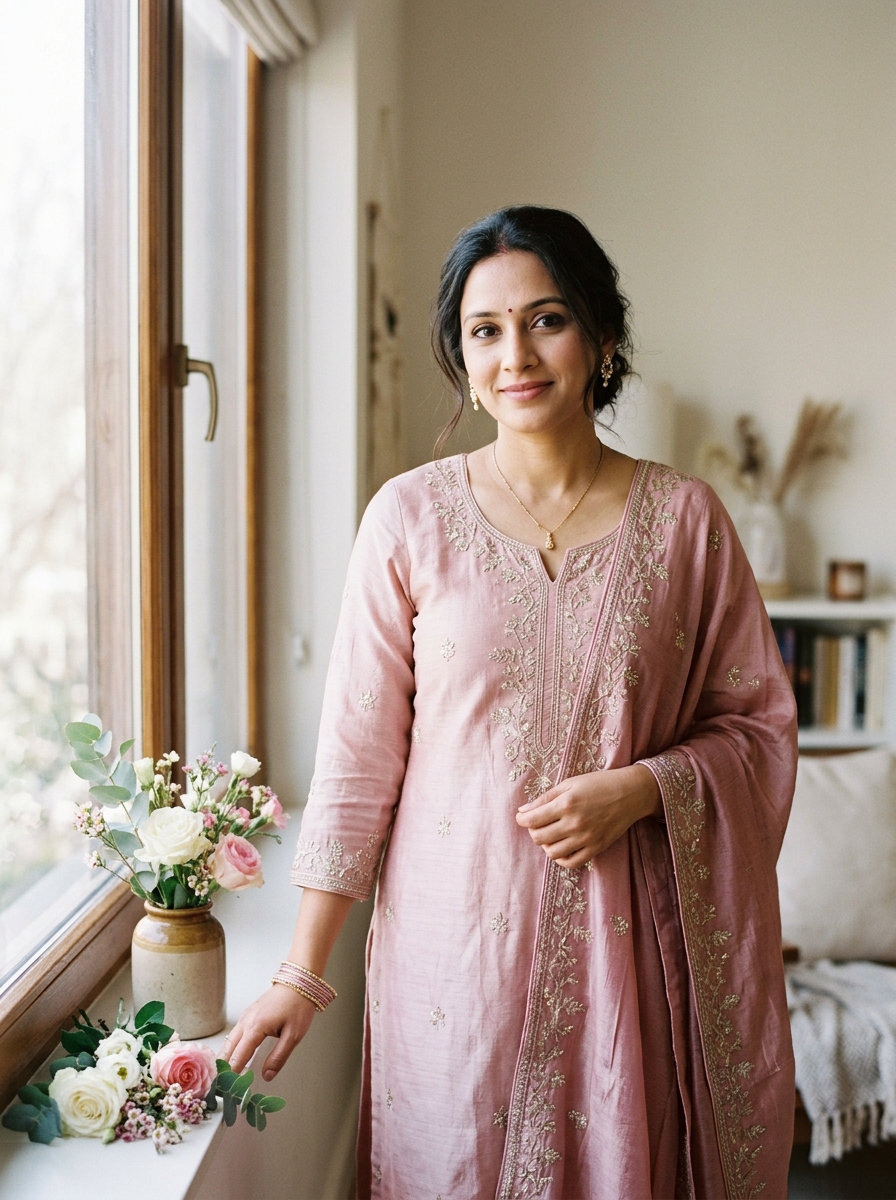
Visual Result: Minimal pastel festive outfit portrait for Karwa Chauth.
Create a soft, modern Karwa Chauth portrait based on the uploaded photograph. Preserve the adult woman's recognizable facial identity, natural skin texture and original facial proportions. Dress her in an elegant pastel-pink or muted-rose traditional suit with delicate embroidery, subtle earrings, a small bindi and a few coordinated bangles. Place her beside a softly lit window with understated floral decoration and a warm, neutral background. Use diffused natural light, gentle shadows, realistic fabric details and a calm editorial photography style. Keep the makeup light and the pose relaxed. Avoid overly saturated colours, excessive jewellery, artificial skin smoothing and unrealistic body proportions. Do not add text or watermarks.
7. Decorated Karwa Chauth Thali Photography
Sometimes the best image is not a portrait but a beautifully arranged festive thali. This idea can suit people who want a photo for a festive post, story or greeting design.
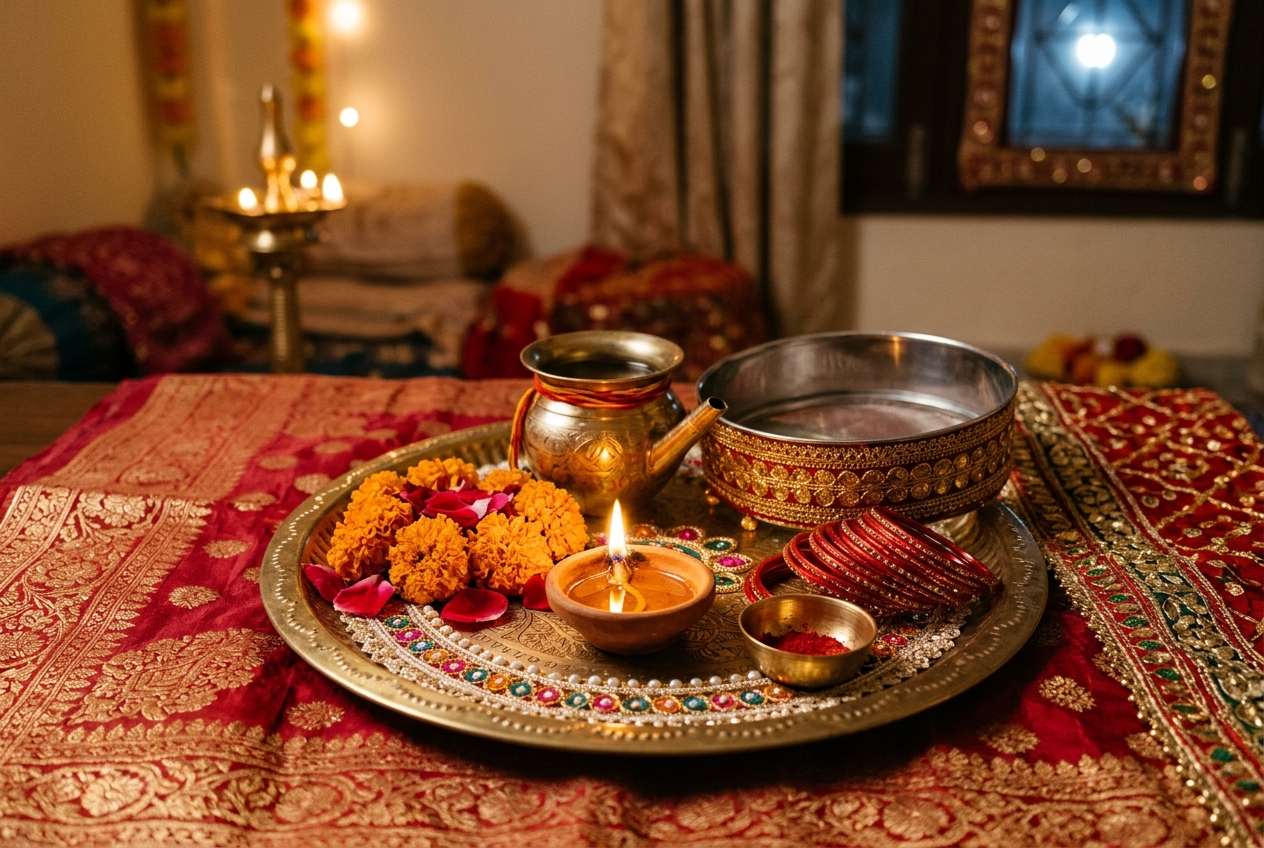
Visual Result: Traditional Karwa Chauth puja thali with diya, sieve and festive decorations.
Generate a realistic editorial still-life photograph of a traditional Karwa Chauth puja thali arranged on an elegant Indian textile. Include a decorated round metal thali, a small lit diya, a traditional sieve, a small karwa pot, a few red bangles, delicate flower petals and tasteful festive details. Use a coordinated red, gold and ivory colour palette with realistic metal reflections and visible textile texture. Set the scene in a warmly lit home during the evening, with soft shadows and a gentle festive atmosphere. Arrange the objects neatly, with enough uncluttered space around the thali. Keep every object physically plausible and avoid duplicated items, distorted utensils, random lettering, logos and watermarks.
8. Cinematic Terrace Portrait at Dusk
For a dramatic but realistic Instagram photograph, combine a traditional outfit with a deep evening sky, subtle lights and a professional portrait composition.
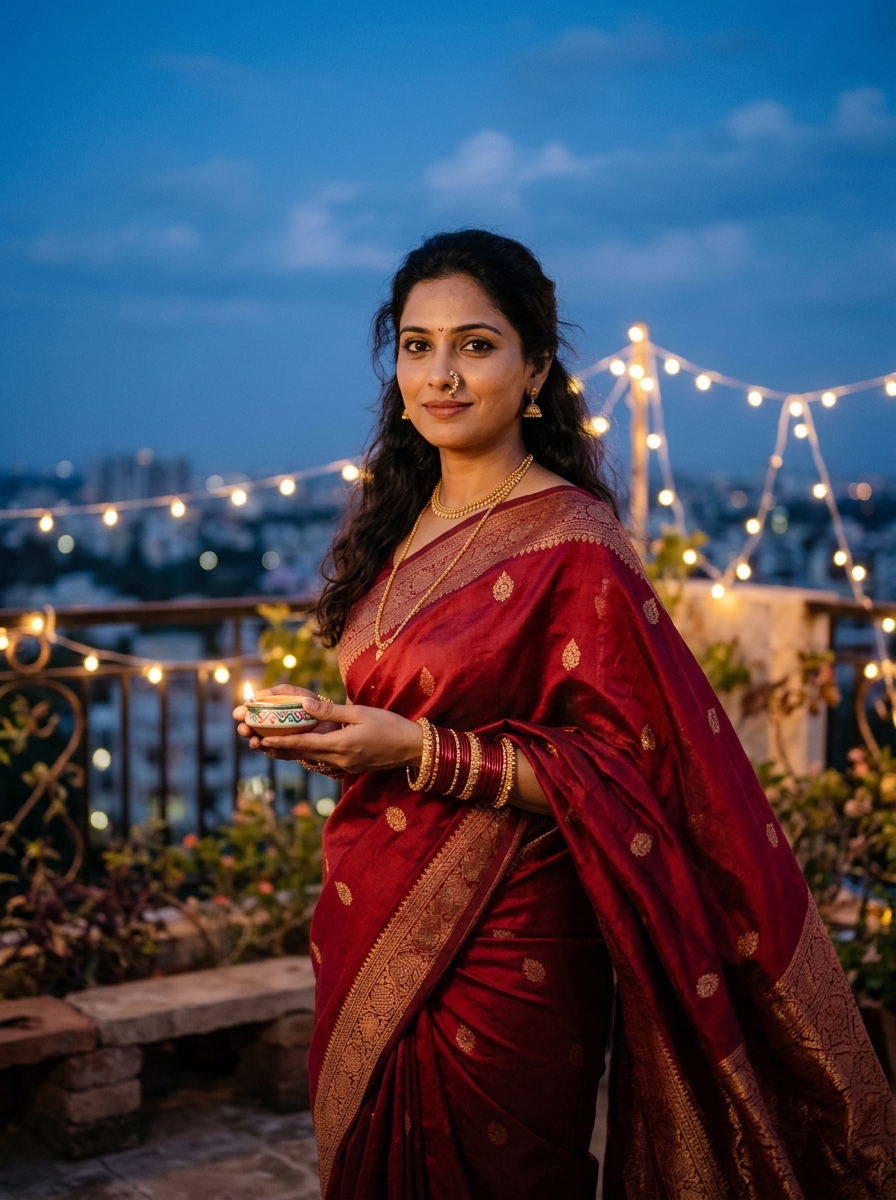
Visual Result: Cinematic Karwa Chauth terrace portrait with warm festive lighting.
Turn the uploaded photograph into a cinematic yet realistic Karwa Chauth terrace portrait. Preserve the adult woman's recognizable face and natural features. Style her in an elegant red or maroon saree with understated gold jewellery and traditional bangles. Place her on a terrace at dusk with a deep blue sky, a few warm string lights and subtle festive decorations. Use a balanced mixture of cool ambient evening light and warm light on the face, with natural shadows and realistic skin texture. Frame the photograph from the waist up, with a softly blurred view of the terrace behind her. Compose the shot like contemporary film photography, with rich colour depth and a composed, natural expression. Keep hands and jewellery anatomically correct. Do not add exaggerated lens flares, extra people, text or watermarks.
9. Traditional Mehndi and Bangles Close-Up
Festival details often make compelling photographs on their own. A close-up focusing on intricate mehndi and festive bangles can be shared as a standalone image or part of a multi-photo post.
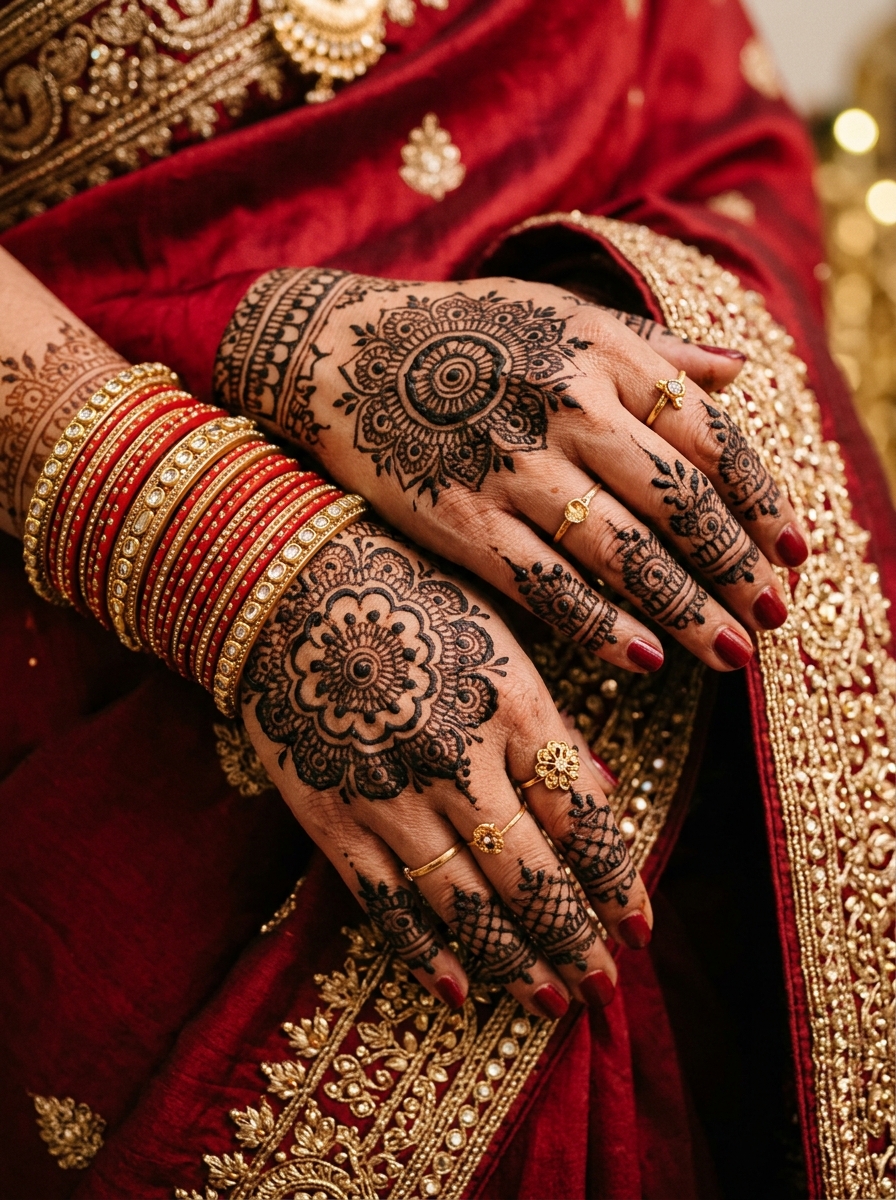
Visual Result: Close-up of traditional Karwa Chauth mehndi and red-and-gold bangles.
Create a detailed editorial close-up photograph of traditional Karwa Chauth mehndi on an adult woman's hands. Show realistic henna patterns with fine linework, paired with elegant red and gold bangles resting naturally on the wrist. Include a soft corner of a deep-red saree border in the frame for context. Use warm, gentle lighting that highlights the texture of the skin, the dark henna stain and the metallic sheen of the bangles. Keep the fingers relaxed and anatomically accurate, with five realistic fingers on each hand. Set the scene against a neutral, softly blurred background. Do not add extra limbs, distorted jewellery, fantasy effects, text or watermarks.
10. Instagram-Ready Karwa Chauth Couple Portrait
If you want a modern festive couple photograph, aim for a balanced composition with natural smiles and coordinated festive outfits rather than an overly dramatic pose.
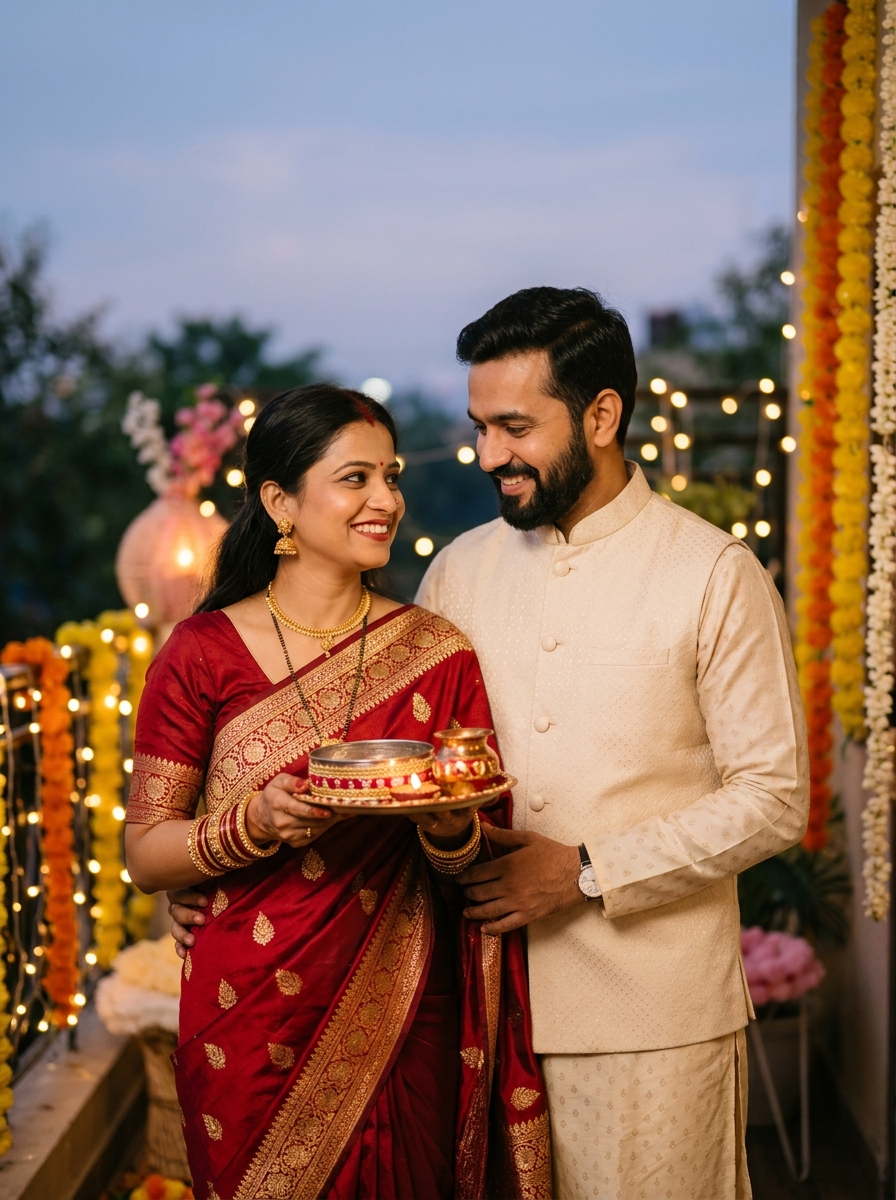
Visual Result: Modern, Instagram-ready Karwa Chauth couple portrait with natural festive styling.
Transform the uploaded photograph into an Instagram-ready Karwa Chauth couple portrait. Preserve the recognizable facial identities, natural expressions and skin tones of both adults. Dress the woman in a contemporary red saree with minimalist gold jewellery and the man in a coordinated traditional kurta. Show them standing close together in a warmly lit setting, looking toward the camera with genuine, relaxed smiles. Use soft background blur, warm ambient lights and clean framing suitable for a vertical portrait post. The image should look like a well-composed photo taken by a friend at a family gathering rather than an over-edited digital graphic. Maintain realistic body proportions, correct hands and believable lighting. No extra people, text, logos or watermarks.
How to Use These Karwa Chauth AI Photo Editing Prompts
You can use these prompts with several current AI image tools. The exact steps vary by platform, but the general process remains similar:
- Select an image tool that accepts written prompts and, if you want a personal portrait, reference images (such as Google Gemini or a compatible service).
- Upload a clear reference photograph of yourself or the couple if you want the generated image to resemble real people.
- Copy one prompt from the list above.
- Paste the prompt into the tool's text field. If you are using your own photo, make sure the prompt instructs the model to preserve facial features.
- Generate the image and inspect the result, paying attention to the face, hands, jewellery and clothing.
- If something looks unnatural, adjust the prompt (for example, by simplifying the pose or asking for more natural lighting) and try again.
- Save or download the finished image once you are satisfied with the result.
Tips for More Realistic Karwa Chauth AI Photos
AI image generators can produce impressive results, but they sometimes struggle with faces, hands and intricate festive jewellery. These tips can help you get cleaner results:
1. Use clear reference photos
If your goal is a portrait that looks like you, start with a well-lit photograph in which your face is clearly visible, without heavy filters or awkward angles.
2. Keep poses natural
Very complex poses—such as holding multiple items while looking in a different direction—can confuse image models. A simple standing or seated pose usually produces fewer errors in hands and limbs.
3. Specify lighting and atmosphere
Instead of asking for a “perfect picture,” mention the type of light you want, such as “soft evening light,” “warm diya light” or “diffused indoor lighting.” This helps the AI create believable shadows and realistic skin tones.
4. Watch the hands and jewellery
Check the fingers, bangles and necklace in the generated image. If they look distorted, regenerate with an instruction such as “anatomically correct hands and simple jewellery.”
5. Do not overcomplicate the background
A background with too many elements—such as multiple lamps, crowds, elaborate architecture and floating objects—can distract from the main subject. A lightly decorated home or terrace often looks more authentic.
Frequently Asked Questions
Which AI tool can I use for Karwa Chauth photo editing?
You can try an image-generation or photo-editing tool that supports text prompts and reference images, such as Google Gemini or another compatible service. Features and results may differ by tool, account and region.
Can I use these prompts without uploading a photo?
Yes. Prompts that describe a complete scene, such as the decorated thali, can be used without a reference image. For a personal portrait that resembles you, uploading an appropriate reference image may help.
How can I keep my face similar in an AI-generated photo?
Upload a clear photograph when supported and explicitly request preservation of your recognizable facial features, natural skin texture and proportions. Results are not guaranteed, so review and regenerate the image if necessary.
Why do AI-generated hands or jewellery sometimes look strange?
Image-generation systems can struggle with complex fingers, overlapping objects and intricate accessories. Use a simpler pose, reduce the number of objects and regenerate the image if the result looks distorted.
Can I post these AI-generated Karwa Chauth photos on Instagram?
You can generally share images you create if you follow the tool's terms and respect other people's rights and privacy. Check the service's rules for commercial use, and avoid presenting a heavily altered scene as documentary evidence of something that actually happened.
Can I add “Happy Karwa Chauth” text to the image?
Yes. For more reliable spelling and design, generate the image without text and add the greeting afterward using an image editor or design tool.
Final Thoughts
AI photo editing offers an easy way to experiment with festive styles, traditional clothing and creative photography ideas for Karwa Chauth. Whether you want a classic red saree portrait, a soft-glam beauty close-up or a romantic couple photo under the moon, these prompts provide a structured starting point.
Remember that AI generation is often an iterative process. You may need to try a few variations, adjust wording or regenerate a photo to find the look you want. Take time to check details like facial consistency, hands and jewellery so the final image feels natural, celebratory and personal to you.
Happy Karwa Chauth, and enjoy creating your festive portraits!
Written by Harish Kumar
Harish has analyzed over 12,000+ generative prompts across Bing Image Creator, Midjourney v6.1, and Flux.1 Schnell, specializing in Indian traditional textiles, lighting dynamics, and photorealistic portraiture.
Reader Discussion & Output Feedback
0 CommentsNo comments yet. Be the first to share your prompt output results!