Dhanteras AI Photo Prompts 2026: Create Realistic Festive Photos with Your Own Face
Create realistic Dhanteras 2026 photos with Gemini and Nano Banana. Try 6 copy-paste prompts for family portraits, traditional outfits, diyas and jewellery shopping scenes.
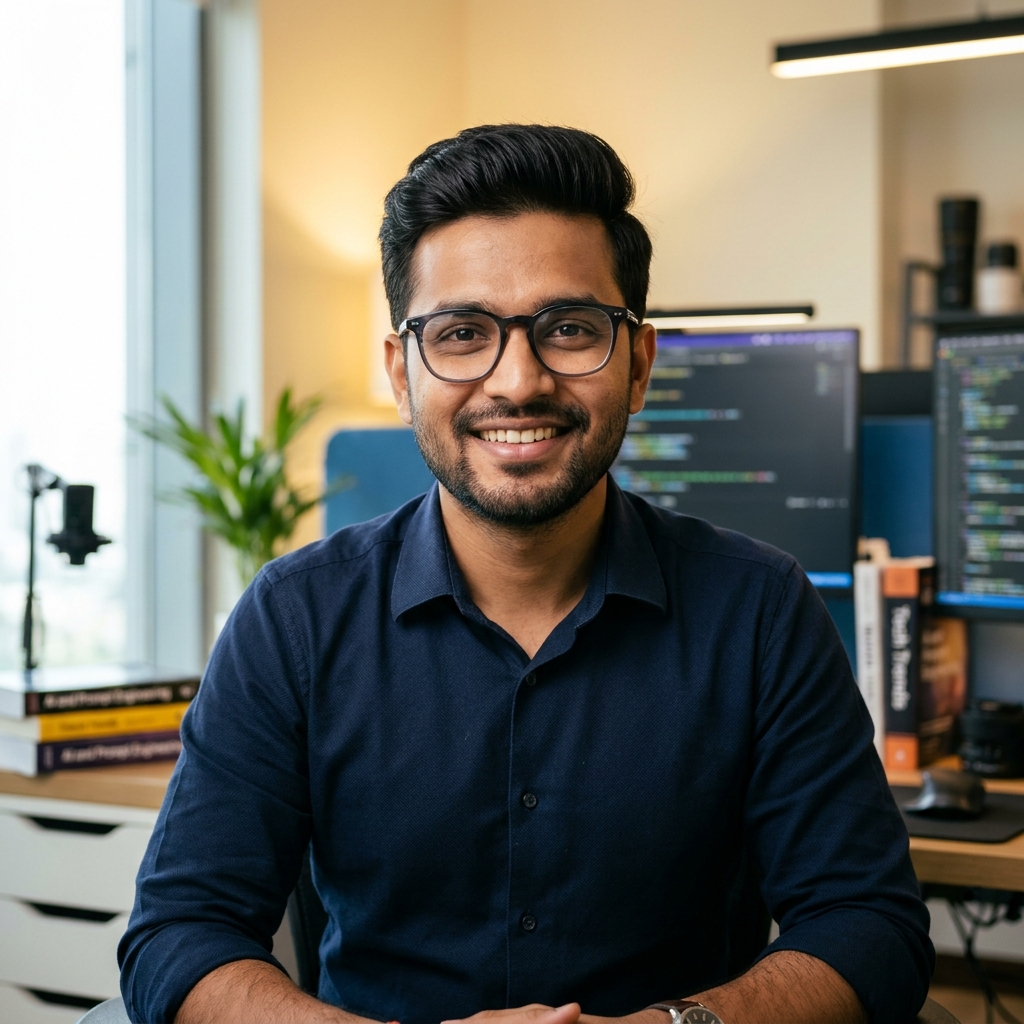
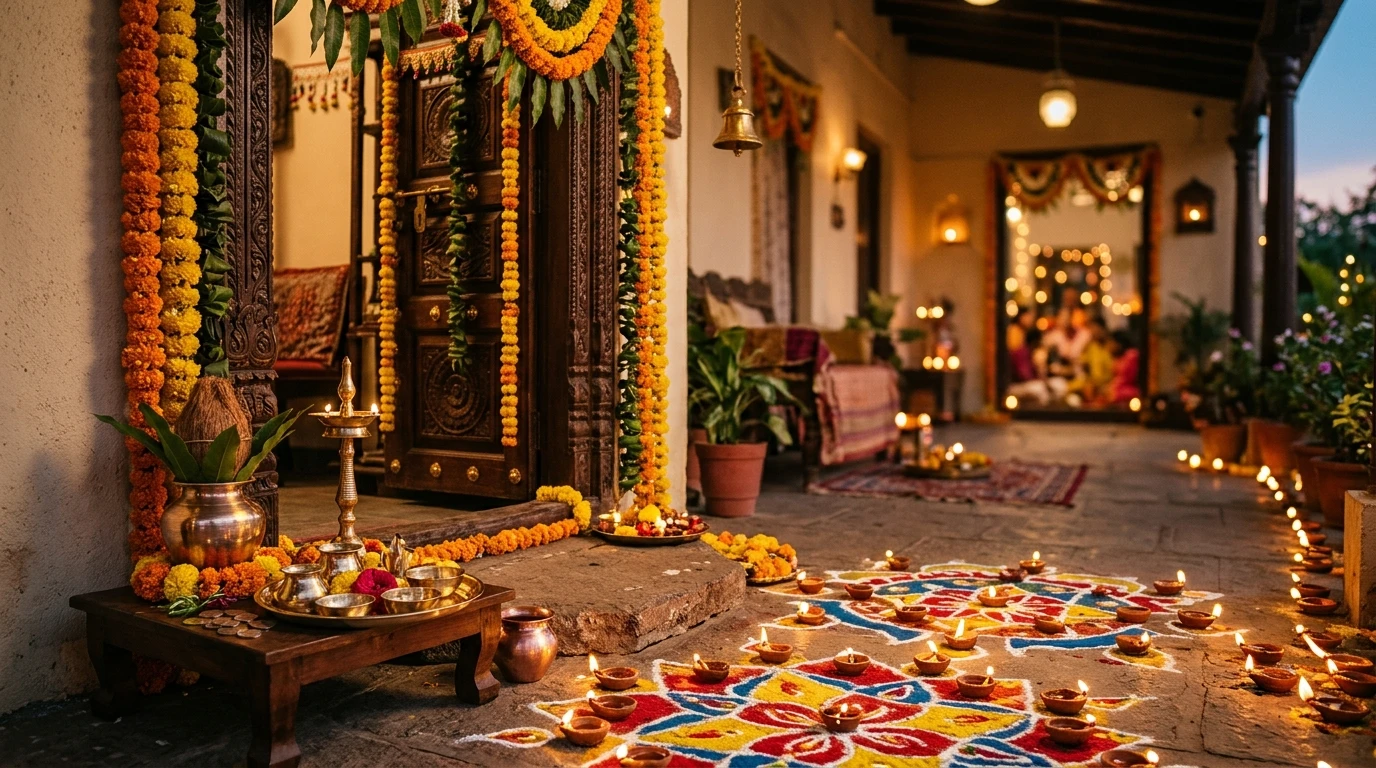
Featured Master Editorial: Dhanteras AI photo editing ideas with festive Indian home decorations
In This Curated Guide
Dhanteras is one of those occasions when even a simple photograph can become a lovely memory. Families prepare for the festival, homes get decorated, new utensils are brought in, jewellery shops become busy, and the first festive lights begin appearing around doorways and balconies. (Preparing for evening rituals, shopping, or festive shoots? Explore our detailed guides on Diwali AI Photo Prompts for Couples, Diwali AI Photo Prompts for Kids, Dhanteras 2026 Puja Samagri & Vidhi, and What to Buy & Avoid on Dhanteras 2026).
But not everyone has the time, location or opportunity to arrange a proper festive photoshoot.
That is where AI photo editing can be useful.
With a clear reference photograph and a carefully written prompt, you can create a Dhanteras-inspired portrait without changing your actual appearance. You could place yourself beside a beautifully decorated doorway, create a family portrait with traditional clothing, or make a realistic jewellery-shopping photograph.
The challenge is that many AI-generated festive photographs look attractive but do not look like the person in the uploaded image. The face changes, the skin tone becomes different, the body looks taller or shorter, or family members get mixed up.
This guide focuses on solving those problems. Instead of giving you a long list of nearly identical prompts, we have selected six different Dhanteras photo ideas. Each one has a specific purpose, a copy-ready prompt and an image-generation brief showing the intended result.
You can use the prompts with compatible image-editing tools such as Google Gemini and Nano Banana. Results may vary depending on the model and reference photograph.
What Makes a Good Dhanteras AI Photo Prompt?
A useful festive photo prompt needs more than words such as 'beautiful', 'cinematic' or 'ultra-realistic'. It should explain what the AI is allowed to change and what must remain the same. Think about an ordinary photo of yourself. You want the background to become a festive Indian home, your clothes to become traditional, and the lighting to look warm and inviting. You do not want the AI to create a different person. A well-written prompt should therefore describe four essential pillars:
- 1. Identity preservation: The uploaded photograph is the reference for the person's face, skin tone, facial structure, hairstyle and expression.
- 2. Body consistency: The person's height, body proportions, shoulder width, build and natural posture should remain consistent. This matters especially when converting a selfie into a full-body festive portrait.
- 3. A specific Dhanteras scene: Describe one clear activity, such as lighting a diya, arranging a puja thali or visiting a jewellery shop. A single believable activity often looks more natural than a scene containing too many unrelated objects.
- 4. Realistic photography: Mention natural shadows, believable fabric texture, realistic metal reflections and appropriate lighting. Avoid asking for excessive glow or artificial beauty effects.
A note about identity: Text instructions can reduce unwanted changes, but no image model can guarantee a perfect match in every generation. Always inspect the final result, especially when the picture includes several people.
How to Use These Dhanteras Prompts with Your Own Photo
Before choosing a prompt, prepare the reference photograph with care. You can also explore our general guide on how to use AI photo prompts for step-by-step setup tips:
- Use an original photograph with a clearly visible face and natural lighting.
- Avoid heavy beauty filters, extreme shadows or very low-resolution images.
- If you want a full-body result, upload a full-body reference rather than expecting a model to guess your height and proportions from a close-up selfie.
- For a family portrait, use clear individual reference images where the editing tool supports multiple references.
- Make sure everyone whose photograph you upload has agreed to its use.
1. Realistic Dhanteras Traditional Portrait for Girls and Women
This idea is suitable for anyone who wants a traditional festive portrait without arranging a separate photoshoot. Imagine a warm Indian home decorated with marigold flowers and small diyas. You are standing naturally near the entrance, wearing a traditional outfit, while the background has a soft festive glow. The most important detail is that the AI should change the setting and outfit without redesigning your face or body.
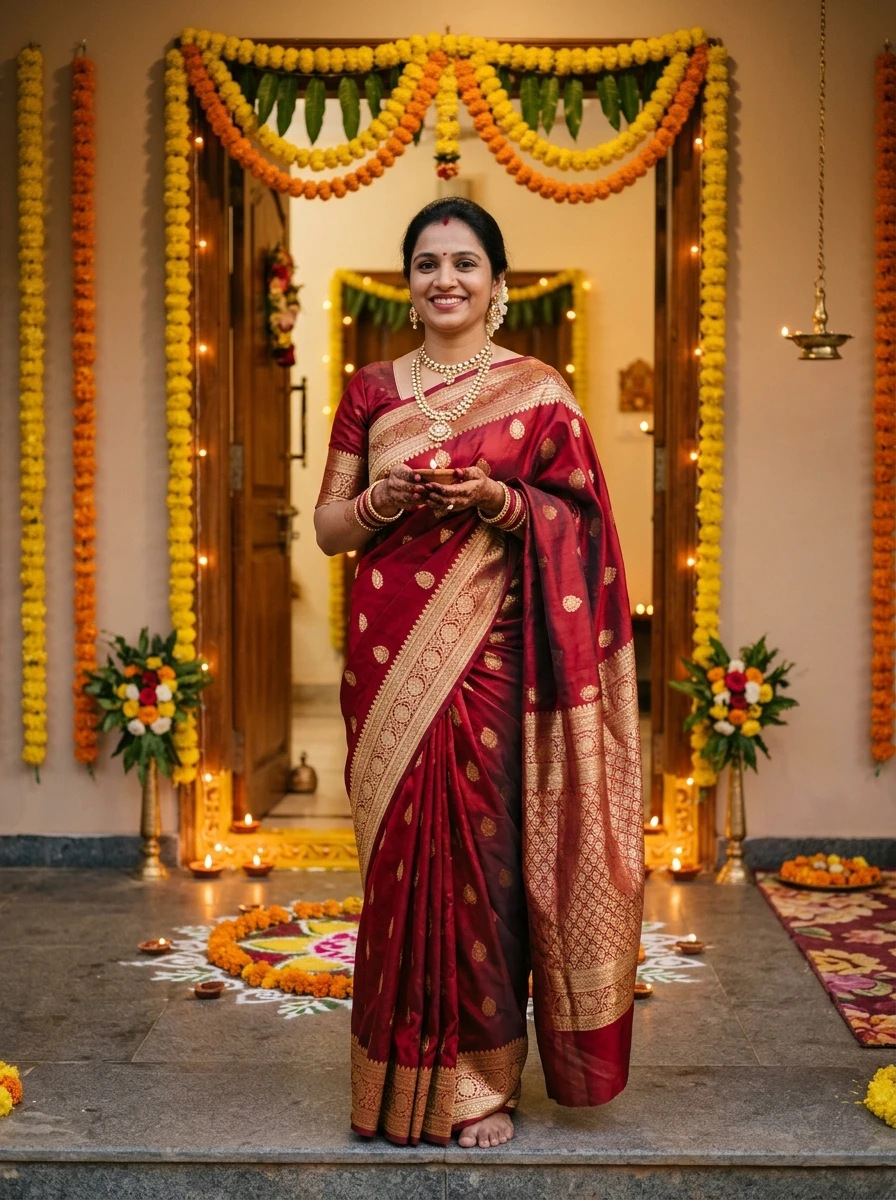
Visual Result: Realistic traditional Dhanteras AI portrait with festive Indian clothing and diyas.
Best for: Personal festive posts, profile pictures, and cultural celebrations.
Edit my uploaded reference photograph into a realistic Dhanteras 2026 festive portrait. Use the uploaded photograph as the exact identity reference. Preserve my original face, facial structure, eyes, nose, lips, skin tone, hairstyle and natural expression. Keep my real height, body build, shoulder width and body proportions consistent with the reference; do not make me taller, shorter, slimmer or heavier. Dress me in an elegant traditional Indian festive outfit with realistic fabric folds and tasteful jewellery. Place me naturally near the entrance of a beautifully decorated Indian home with marigold flowers, a few glowing clay diyas and subtle festive decorations. Use warm evening light, realistic shadows and natural skin texture. Keep the composition like a professional real-life festive photograph, not a painting or fantasy image. Do not replace my face, invent facial features or add extra fingers or jewellery.
2. Dhanteras Family Photo with the Same Faces
For many people, the best part of Dhanteras is spending time with family. A family photograph can also be more meaningful than an individual festive portrait. However, group photo editing is one of the situations where AI can make noticeable mistakes. It may give two family members similar faces, change someone's age or mix up the reference identities. The safest approach is to identify each person separately in the prompt.
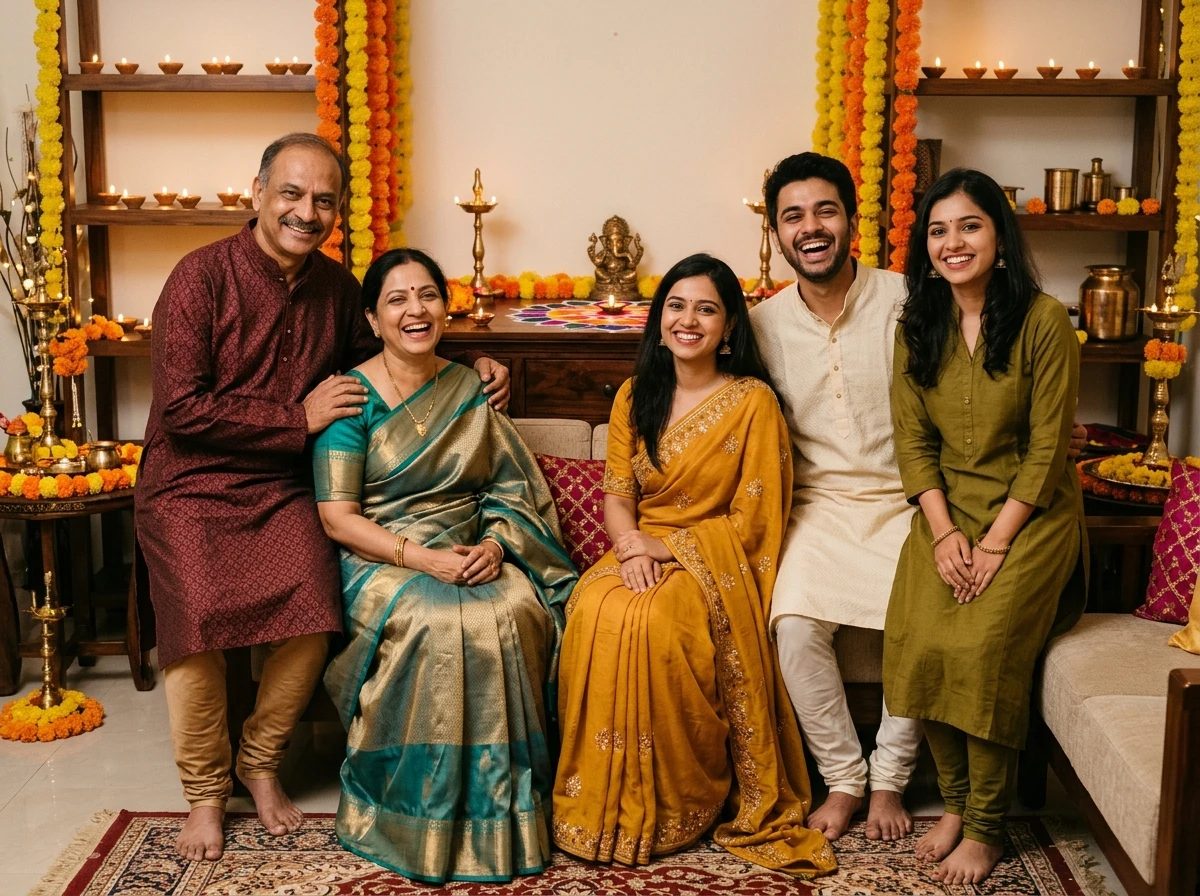
Visual Result: AI-generated Dhanteras family portrait in traditional Indian festive clothing.
Best for: Family WhatsApp groups, greeting cards, and family albums.
Create a realistic Dhanteras family portrait using the uploaded reference photographs. Treat each uploaded photograph as a separate identity reference. Person 1 must retain the face and appearance of reference image 1, person 2 must retain the face and appearance of reference image 2, and continue this mapping for every supplied person. Do not swap, merge, duplicate or invent anyone's face. Preserve each person's original skin tone, age appearance, facial structure, hairstyle and natural body proportions. Keep their relative heights and body builds consistent with their reference photographs. Arrange everyone naturally together in a welcoming Indian home decorated for Dhanteras, with a few diyas, marigold flowers and tasteful festive details in the background. Give each adult appropriate traditional festive clothing without changing their identity. Use realistic indoor lighting, natural expressions and a professional family-photography composition. Include only the people supplied in the references.
3. Dhanteras Gold and Jewellery Shopping Photo
Buying gold or silver is a familiar Dhanteras tradition for many households. A jewellery-shopping photograph can be a good alternative to the usual festive portrait. The trick is to make the jewellery shop believable. Real gold has controlled reflections and detailed surfaces. Describing a real jewellery counter, glass display cases, warm shop lighting and natural shopping interactions prevents cartoonish yellow shine.
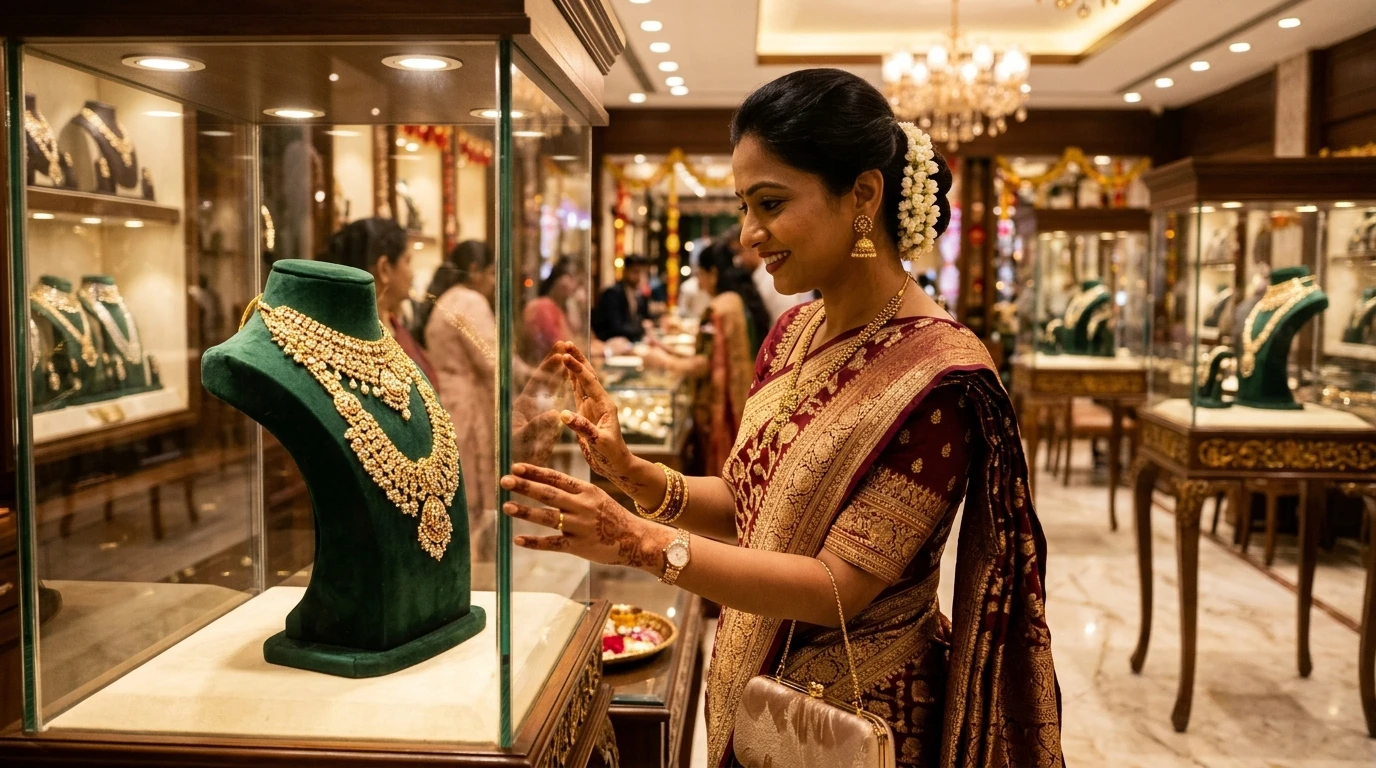
Visual Result: Dhanteras AI photo showing a festive jewellery-shopping scene in an Indian showroom.
Best for: Lifestyle posts, festive stories, and shopping celebration photos.
Edit my uploaded photograph into a realistic Dhanteras jewellery-shopping scene in India. Preserve my exact facial identity, face shape, skin tone, hairstyle, age appearance and natural expression. Keep my real height, body build and body proportions unchanged. Place me naturally inside an elegant Indian jewellery showroom, looking at a jewellery display counter. Include realistic gold necklaces, small jewellery stands, glass display cases and warm interior lighting. Keep the jewellery designs believable with natural metallic reflections, not exaggerated yellow glowing objects. Dress me in tasteful traditional festive clothing appropriate for Dhanteras. Make the scene look like a genuine photograph taken during a shopping visit, with realistic hands, natural posture and accurate reflections in the glass. Do not alter my face or create extra people who resemble me.
Why Do AI Dhanteras Photos Sometimes Change Your Face?
This is worth understanding before generating multiple versions. An image-editing model does not always interpret a photograph as a fixed identity that must remain untouched. It may treat the photograph as inspiration and reconstruct parts of the person while creating a new scene. There are several reasons this happens:
The reference photo does not show enough information.
A close-up selfie may show your face clearly but reveal nothing about your height, body build or full-body proportions. If the requested output is a standing portrait, the model has to estimate the missing details.
The prompt gives too much creative freedom.
Words such as 'make me beautiful', 'perfect model look' or 'glamorous transformation' can encourage the model to change facial or body features.
The scene is too complicated.
A prompt asking for a full family, multiple decorations, several activities and detailed jewellery may cause the model to prioritise the scene over identity consistency.
Different reference photographs have different lighting.
One photo may have warm indoor light while another has strong daylight. The model may struggle to keep the people consistent when combining them.
4. Dhanteras Couple Portrait with Traditional Indian Outfits
A couple portrait is useful for people who want a festive photograph together without changing their real appearance. The main challenge is identity mapping. The model must understand which face belongs to which person. It should not swap the faces or produce two versions of the same person. Use separate, clearly labelled reference photographs wherever possible.
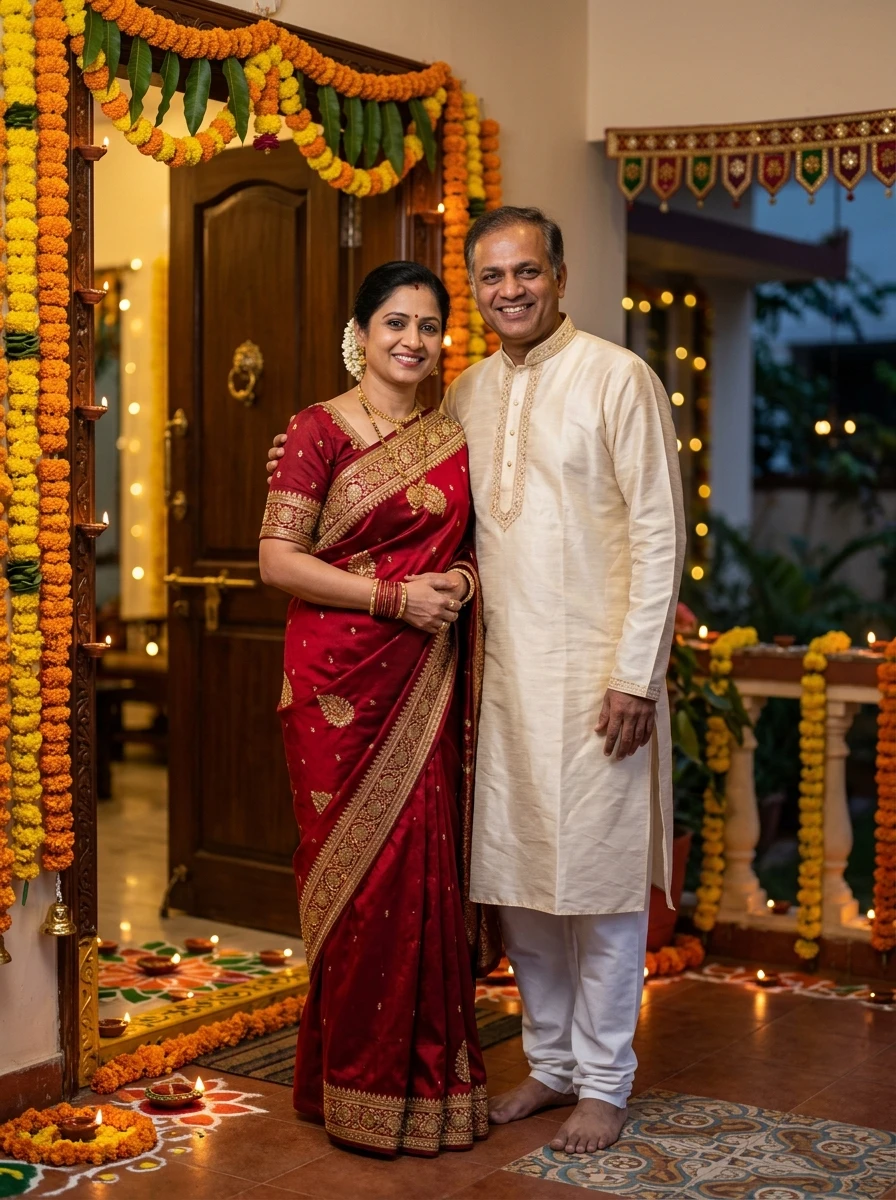
Visual Result: Traditional Dhanteras couple portrait with festive home decorations.
Best for: Instagram couple reels, anniversary festive posts, and couple displays.
Create a realistic Dhanteras couple photograph using the uploaded reference images. Reference image 1 belongs to the first person and reference image 2 belongs to the second person. Preserve each person's exact facial identity, facial structure, skin tone, hairstyle, age appearance and natural expression. Never swap, merge, duplicate or redesign their faces. Keep both people's real height, body build and relative height difference consistent with their references. Dress them in elegant but realistic traditional Indian festive outfits. Place the couple naturally beside a decorated home entrance with marigold flowers and softly glowing diyas. Use warm evening lighting, realistic fabric texture, natural shadows and a professional couple-photography composition. Keep their body proportions and facial identities unchanged. Do not add extra people or unrealistic romantic poses.
5. Dhanteras Puja Thali and Diya Photography
Not every reader wants an AI portrait of themselves. Some people simply want a beautiful festive image for a social media post, a greeting or a website design. A close-up of a puja thali is a useful option because the focus is on objects rather than facial identity. A believable image should show a few carefully arranged items with natural candle/diya illumination.
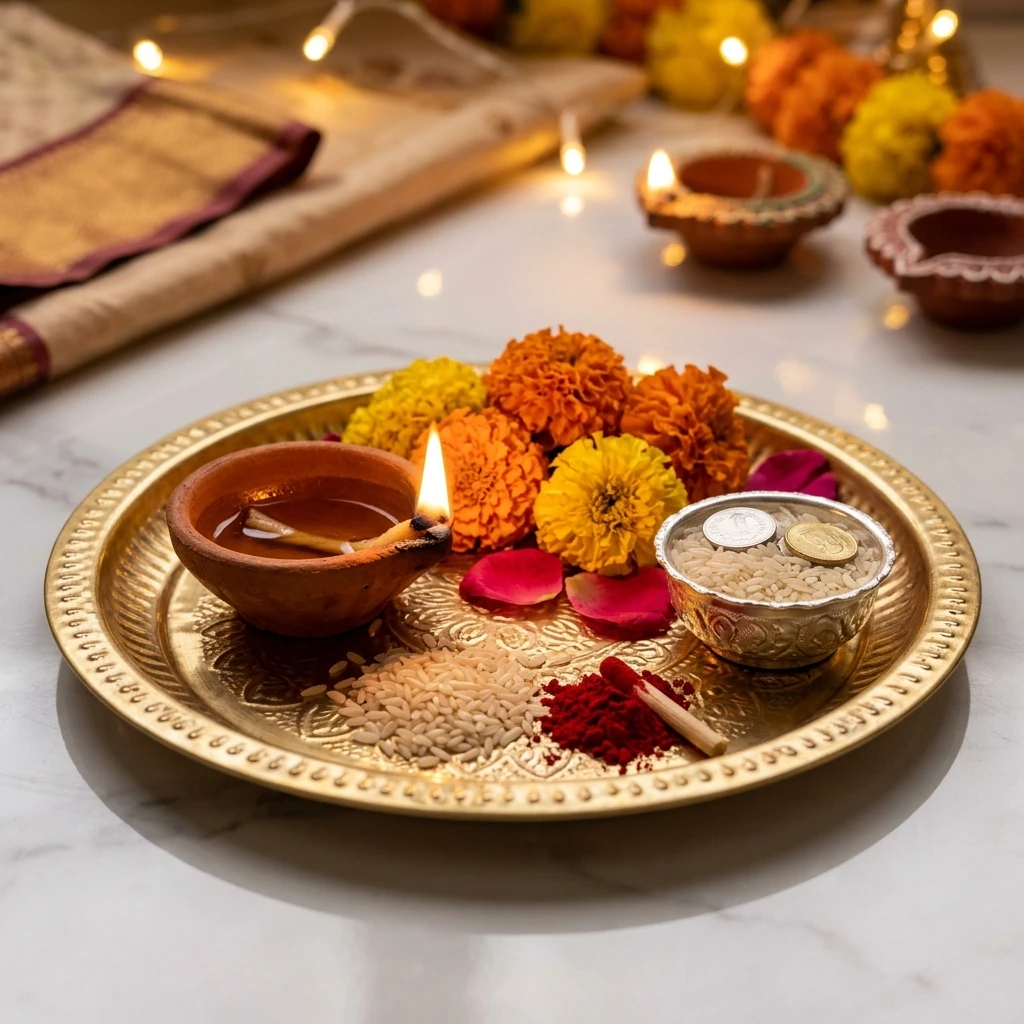
Visual Result: Dhanteras puja thali with a glowing diya and marigold flowers.
Best for: Festival status updates, WhatsApp greetings, and religious celebration backgrounds.
Generate a photorealistic Dhanteras festive still-life photograph featuring a beautifully arranged traditional Indian puja thali. Include a small glowing clay diya, a few marigold flowers, kumkum, rice grains, a small metal bowl and tasteful traditional festive details. Place the thali on a clean, elegant surface inside a warmly decorated Indian home. Use realistic brass and copper textures, natural reflections, soft evening light and gentle shadows. Keep the composition clean and balanced, with enough uncluttered space around the main objects. Make it look like professional lifestyle photography captured with a real camera. Avoid random extra religious symbols, misspelled text, artificial golden glow and excessive decorative objects.
6. Dhanteras Festive Greeting Portrait for Instagram and WhatsApp
Sometimes the purpose of an AI photo is to share a greeting with friends, relatives or followers. A portrait with a decorated background can work well as a social media post. However, AI-generated text can contain spelling mistakes. For a cleaner result, generate the photograph with an empty area for text and add the final greeting afterwards using your phone's photo editor or Canva.
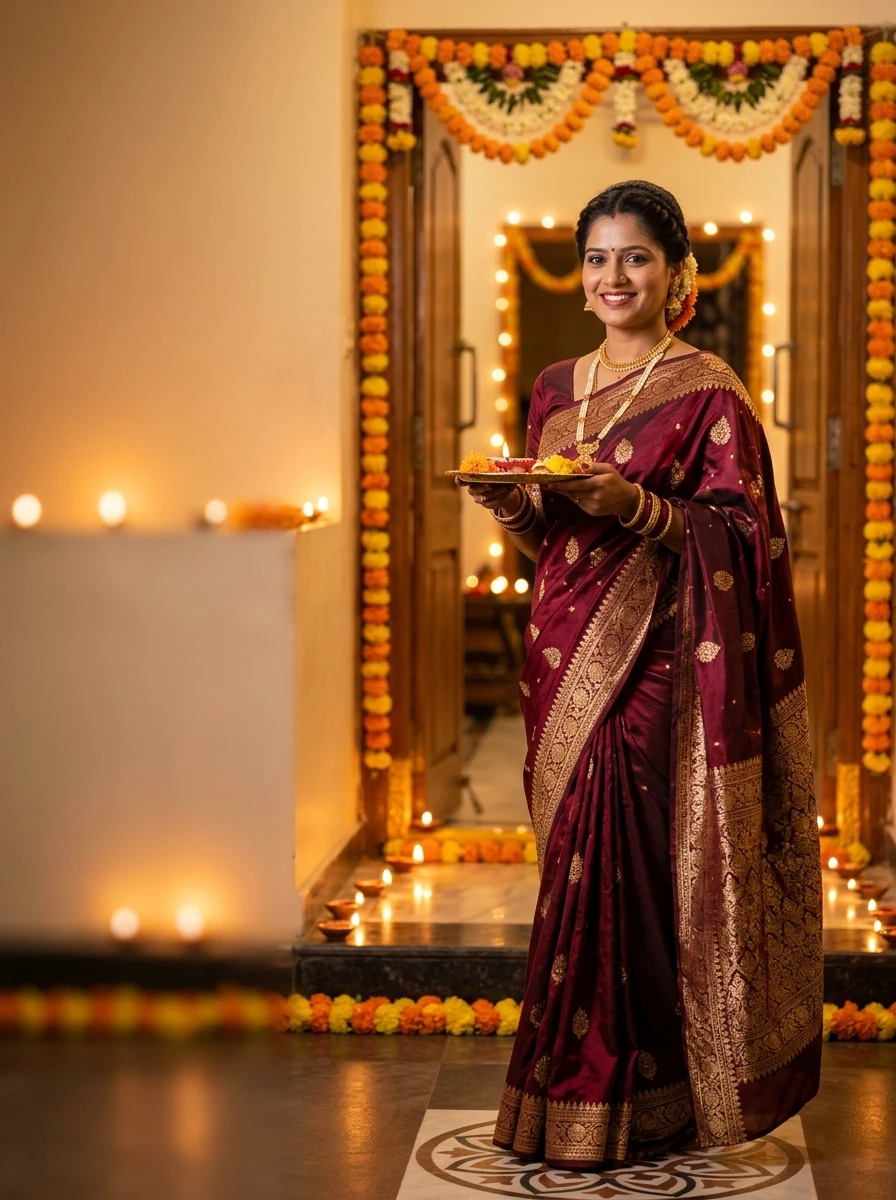
Visual Result: Dhanteras 2026 festive portrait with empty space for a greeting message.
Best for: Personalized Shubh Dhanteras greeting cards, story banners, and business festive wishes.
Edit my uploaded photograph into a realistic Dhanteras 2026 festive greeting portrait. Preserve my original face, facial structure, skin tone, hairstyle, expression and identity exactly as shown in the reference. Keep my real height, body build and natural body proportions unchanged. Dress me in elegant traditional Indian festive clothing. Place me slightly to one side of the frame in front of a beautifully decorated Indian home entrance with warm diyas, marigold flowers and subtle festive lighting. Use realistic evening photography, natural skin texture, accurate shadows and a warm but balanced colour palette. Leave a clean uncluttered area on the opposite side for adding a greeting message later. Do not generate any text, letters, logos or watermarks. Do not modify my face or body.
How to Fix Common Problems in AI-Generated Dhanteras Photos
If the first result is not quite right, do not immediately change the entire prompt. Give the image editor a focused correction request. The key is to correct one problem at a time:
1. The Face Looks Different
When the AI alters facial features or applies generic smoothing:
2. The Person Looks Taller or Shorter
When body proportions shift unexpectedly:
3. The Skin Tone Has Become Lighter or Darker
When unwanted color shifts or whitening filters are applied:
4. The Hands or Fingers Look Unnatural
When hand anatomy is distorted around diyas or jewellery:
5. Family Members' Faces Have Been Mixed Up
When multi-person identity mapping blends features:
6. The Image Looks Too Artificial or Over-Glowed
When the result looks like a CGI video game instead of a photograph:
Which Dhanteras Photo Style Should You Choose?
Different styles suit different purposes. Use this quick comparison before generating an image:
| Photo Style | Best Use Case | Recommended Composition | Key Advantage |
|---|---|---|---|
| Traditional portrait | Personal festive post | 4:5 Portrait | High facial fidelity, authentic festive clothing |
| Family photograph | Family memories & groups | 4:3 / Landscape | Multi-identity locking without hybrid faces |
| Jewellery shopping | Lifestyle & Instagram stories | 16:9 Landscape | Believable glass reflections, realistic gold luster |
| Couple portrait | Instagram reels & couple DP | 4:5 Portrait | Distinct identities, natural height differences |
| Puja thali macro | Festival greeting & wallpapers | 1:1 Square | Zero facial hallucination risk, realistic brass/diya flame |
| Greeting portrait | WhatsApp & custom card overlays | 4:5 Portrait | Clean negative space for custom typography without AI typos |
Dhanteras Photo Editing and Privacy: What to Check Before Uploading
A family photograph is personal information. Before uploading it to an AI image service, consider who is visible and whether they have agreed to the upload. A few sensible precautions:
- Use your own photographs or images you have permission to edit.
- Avoid uploading identity documents, private screenshots or photographs containing sensitive personal details.
- Be especially careful with children's photographs.
- Read the image service's current privacy and data-use information before uploading personal images (see our website privacy policy for our platform standards).
- Do not assume that a generated image is private simply because it was created in a chat.
- Avoid using AI-generated photographs to misrepresent a real event or claim that a person attended a place they never visited.
Frequently Asked Questions
What is the best Dhanteras AI photo prompt for Gemini?
It depends on the photograph you want. For a personal festive portrait, use the traditional portrait prompt. For a family memory, use the family prompt with clearly mapped reference images. For a social media greeting, use the greeting portrait prompt with empty space for text.
Can I use these Dhanteras prompts with Nano Banana?
Yes. You can try them with compatible Nano Banana image-editing experiences. Upload your reference photograph, paste the prompt and check the result. The exact interface and available features may vary.
How do I make a Dhanteras AI photo without changing my face?
Use a clear reference photograph and explicitly ask the model to preserve facial structure, skin tone, hairstyle and expression. Avoid vague requests such as 'make me look perfect'. Even with these instructions, check the generated image because perfect identity preservation is not guaranteed.
Can I create a Dhanteras family photo from separate pictures?
Some image-editing tools support multiple reference images. Label each reference clearly and explain which person belongs to which image. Check the final output carefully to ensure that faces have not been swapped or merged.
How can I create a realistic Dhanteras jewellery-shopping photo?
Describe a believable jewellery showroom with glass display cases, realistic metal reflections, warm lighting and a natural shopping pose. Avoid asking for excessive golden glow because it can make jewellery look artificial.
Can I create a Dhanteras photo for Instagram or WhatsApp?
Yes. Generate a portrait or greeting image in the aspect ratio you need. If the image requires a greeting message, leave empty space in the generated image and add the final text separately to avoid spelling mistakes.
Why does AI change my height when I upload a selfie?
A selfie does not contain enough information to determine your full-body height and proportions. If you need a full-body result, provide a suitable full-body reference image and ask the model to preserve your body build and relative proportions.
When is Dhanteras 2026?
Dhanteras 2026 falls on Friday, 6 November. Puja and shopping timings can vary by location and local Panchang, so check a reliable city-specific calendar for exact timings.
Final Thoughts
A good Dhanteras AI photo should feel festive without making the person unrecognisable. The background, clothing and lighting can change, but the original identity should remain the priority.
Start with one clear reference photograph and choose the prompt that matches the result you actually want. If you are creating a family image, label the reference photographs carefully. If you are creating a full-body portrait, provide a full-body reference instead of relying on a selfie.
Try one prompt first, inspect the output and make small corrections only where necessary.
The best result is not necessarily the most dramatic one. It is the one that looks believable, feels personal and gives you a festive photograph you are happy to share. Wishing you and your family a happy and prosperous Dhanteras 2026!
Written by Harish Kumar
Harish Kumar has analyzed thousands of generative prompts across Google Gemini, Bing Image Creator, and Nano Banana, specializing in Indian traditional festivals, face consistency, and photorealistic portraiture.
Reader Discussion & Output Feedback
0 CommentsNo comments yet. Be the first to share your prompt output results!